There are many reasons for wanting to autologon your computer: need to start some software applications, batch files, scheduled tasks, vbscripts, etc. at startup with GUI or desktop access or even to keep the domain account logon credentials secret from an employee. However, you don't want to leave the computer unattended with Windows desktop unlocked for anyone who is passing by. Therefore, the following configuration of LogonExpert will lock your Windows desktop right away after automatic login was successfully performed.
1)
Download and
install LogonExpert.
2) Run LogonExpert Administrator.
3) Go to the "Security" tab sheet.
4) Select the "
Lock computer after logon" check box.
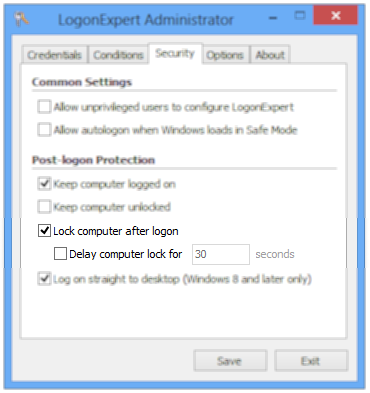 |
| Lock workstation after automatic login |
As additional option, you can set a delay (in seconds) between when autologon occurs and the desktop is actually locked.
